10 Best Double Sided LED Screens for Business in 2026?

Double-sided LED screens are becoming practical tools for retailers, transport hubs, and event venues. One screen can face two pedestrian flows, turning a narrow storefront or central aisle into two separate viewing zones. Yet brightness alone does not make a good installation. Viewing distance, glare, pixel pitch, service access, and content timing all matter.

The Outdoor Advertising Association of America reported that U.S. out-of-home advertising revenue reached a record $9.1 billion in 2023. That figure covers the wider OOH market, not double-sided LED screens alone, but it shows the scale of competition for public attention. For buyers, the real question is whether two-sided visibility justifies the extra hardware, installation, and maintenance. Small details count: a screen facing a sunlit window may need different brightness from one inside a shaded mall corridor.

A verified, attributable quotation from a named double-sided LED screen expert was not available for this introduction, so no quotation is invented. A useful review principle is simple: “Judge the display from both sides, at the distance people actually see it.” This is editorial guidance, not a sourced expert quote. The 10 screens featured in this guide are assessed for image quality, installation flexibility, support, and value. Some comparisons remain imperfect; published specifications cannot fully predict performance in every venue.
10 Best Double Sided LED Screens for Business in 2026?

What Double-Sided LED Screens Are and How They Work

What Double-Sided LED Screens Are and How They Work

A double-sided LED screen displays content on two outward-facing surfaces, allowing people to view messages from opposite directions. Picture a suspended display above a busy walkway: shoppers approaching from either side can see different promotions. Each face contains rows of light-emitting diodes, or LEDs, that create images by changing brightness and color. The panels may share one frame, but their content can be controlled separately.

Inside the cabinet, a control system receives video or image files and sends instructions to the LED modules. A processor adjusts timing, color, and brightness so each side appears steady and clear. Sensors are not always included, so brightness may need manual adjustment as daylight changes. That matters near windows, where strong sun can wash out a message. Viewing distance matters too. Small text may look crisp up close, then blur from across a lobby.

The two faces can run the same loop or show separate content, such as a menu on one side and a welcome message on the other. Heat, ventilation, and access for maintenance deserve attention; a screen that looks sleek can still be awkward to service. And the ideal brightness is not obvious. Testing it in the actual space is wiser than guessing from a specification sheet.

Key Features That Distinguish Business-Grade LED Displays

A business-grade double-sided LED screen must stay readable from both directions, not merely look bright in a showroom. Check brightness in nits and ask how the display performs under direct window light. A screen facing a shaded corridor may need less output than one beside a sunlit entrance. Viewing angle matters, too: test both faces from the sides, where customers actually approach. Pixel pitch should suit the viewing distance. Fine-pitch panels can sharpen close-up text, but may add cost without improving a message viewed across a lobby.

Look beyond the headline specifications. A stable refresh rate helps reduce flicker in phone photos and video, while good calibration keeps colors consistent across both faces. Ask about heat management, power use, and access for replacing a module; a unit mounted above a busy doorway is harder to service than one on a counter. Installation details count. Check how the screen is supported, how cables are routed, and whether content can be scheduled independently on each side. Small details, big difference. A spec sheet can still mislead: brightness, for example, is less useful without real operating conditions. Request a live demonstration at the intended viewing distance, and inspect the image after it has been running for a while. One overlooked point is often enough.

How to Choose a Double-Sided LED Screen for Your Business

Choosing a double-sided LED screen starts with the viewing environment, not the display’s headline specifications. Measure the distance from each audience area and note whether people will walk past quickly or wait nearby. A screen above a busy entrance needs clear text and strong brightness; one inside a quieter lobby can use finer pixel spacing for close viewing. Check both sides separately. Their sightlines and ambient light may differ.

Match the screen size and pixel pitch to the content. Large headlines and simple schedules tolerate a wider pitch, while detailed maps need sharper resolution at close range. Ask the supplier for brightness measurements, power requirements, and service access details. Then confirm how the display will fit existing mounting points and whether its weight suits the structure. Small installation details matter. A perfect image is less helpful if technicians cannot reach the panels safely.

Consider how content will be updated and managed. If two sides show different messages, verify that the control system supports independent scheduling. Request a demonstration using your own artwork, not just polished sample footage. Check warranty terms, spare-part availability, and expected operating conditions in writing. These checks take time, admittedly. I would also leave room in the budget for installation and maintenance; buyers sometimes focus so hard on the screen price that those costs become an unpleasant surprise.

10 Best Double-Sided LED Screens for Business in 2026

Choosing among the 10 best double-sided LED screens for business in 2026 starts with the space, not the display. A screen in a glass-fronted shop faces daylight, reflections, and viewers moving in both directions. Measure the viewing distance on each side before comparing pixel pitch. Finer pitch can sharpen close-up text, but it may add cost without helping across a wide lobby. Check brightness controls, too. A screen that looks vivid at noon can feel harsh after sunset.

Reliable comparison also means looking beyond image quality. Ask how the display handles separate content on each side, scheduled updates, and remote monitoring. Confirm the cabinet dimensions, mounting requirements, ventilation space, and access for routine servicing. These details matter when a unit hangs above a busy entrance. Small installation oversights can become expensive. Request operating-temperature and power-consumption figures, then compare them with the conditions at the site.

There is no universal winner. A compact model may suit a café window, while a larger installation may work better in a transit hall. Review warranty terms and the availability of replacement modules before committing. If possible, inspect a live screen in similar lighting; product images rarely show glare honestly. One limitation remains: published specifications cannot predict every viewing angle or reflection. Bring sample content, including small text, and test it at the actual installation distance. That step takes time, and sometimes the result is less impressive than expected.

10 Best Double-Sided LED Screens for Business in 2026

This comparison ranks common double-sided LED screen configurations by business use case, not by brand or specific product. Figures are typical planning ranges; actual brightness, pixel pitch, power use, and installation requirements vary by model and environment.

Rank Screen Type Best Business Use Typical Pixel Pitch Typical Brightness Typical Viewing Distance Key Advantage Planning Consideration
1 Outdoor roadside double-sided display High-visibility roadside advertising and site identification 6–10 mm 5,000–8,000 nits About 6 m and beyond Bright output helps content remain visible in daylight from two approach directions. Requires suitable structural support, weather protection, and compliance with local sign regulations.
2 Retail window-facing display Storefront promotions visible to pedestrians and shoppers inside 2.5–4 mm 2,500–5,000 nits About 2.5–4 m and beyond Balances close-range detail with brightness for display-window conditions. Assess window reflections, direct sunlight, heat buildup, and viewing angles before installation.
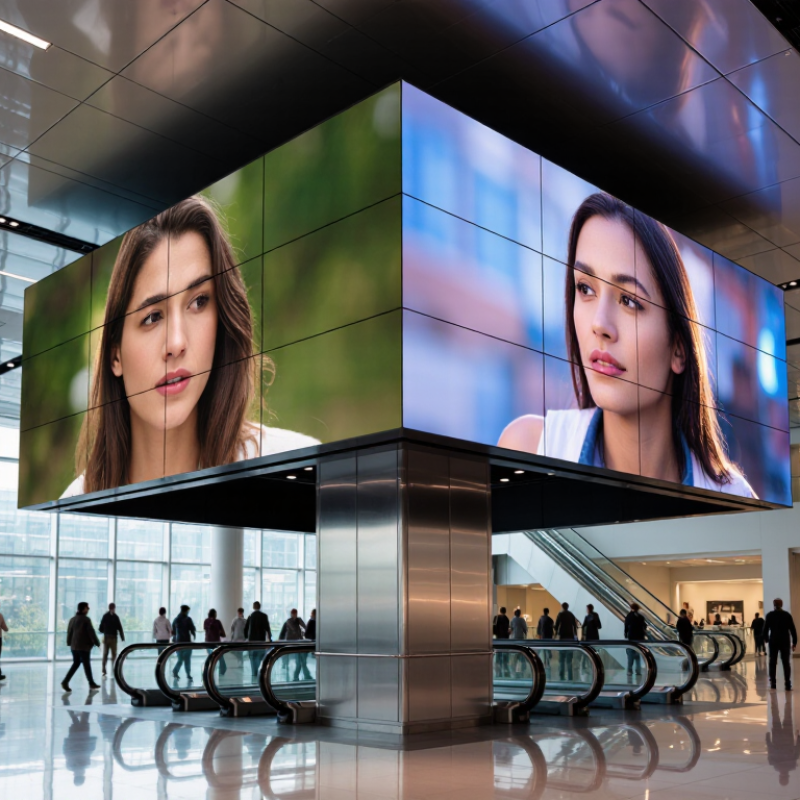
3 Indoor atrium hanging display Malls, hotels, exhibition halls, and large retail spaces 2.5–4 mm 800–1,500 nits About 2.5–4 m and beyond Serves audiences moving in opposite directions through a shared open space. Confirm ceiling load capacity, suspension method, maintenance access, and ambient-light conditions.
4 Transit concourse double-sided display Stations, terminals, and indoor passenger information areas 2.5–5 mm 1,000–2,000 nits About 2.5–5 m and beyond Can present schedules, wayfinding, or advertising to passengers on both sides. Content should remain legible at a glance; coordinate placement with pedestrian flow and safety rules.
5 Shopping-center corridor display Retail directories, promotions, and tenant advertising 2–4 mm 800–1,500 nits About 2–4 m and beyond Provides clear messaging for foot traffic approaching from either direction. Use a pitch suited to the closest expected viewer and avoid obstructing sightlines or walkways.
6 Outdoor pedestrian wayfinding screen Campus paths, visitor areas, and public-facing business sites 3–6 mm 4,000–7,000 nits About 3–6 m and beyond Supports maps, directional information, and announcements for visitors approaching from either side. Plan for weather exposure, accessible placement, glare, and readable text at the intended distance.
7 Indoor event or exhibition display Trade shows, conferences, and event venues 1.5–3 mm 800–1,500 nits About 1.5–3 m and beyond Fine pitch can preserve detail for audiences viewing content at relatively close range. Check rigging limits, setup time, content aspect ratio, and service access for temporary installations.
8 Outdoor forecourt or plaza display Hotels, entertainment venues, and business campuses 4–8 mm 5,000–8,000 nits About 4 m and beyond Provides messages to visitors approaching from different sides of an open area. Allow for sun exposure, wind loading, drainage, and the distance at which people will read the content.
9 Indoor lobby or reception display Corporate lobbies, showrooms, and reception areas 1.5–2.5 mm 600–1,200 nits About 1.5–2.5 m and beyond Fine-pitch options suit close viewing and detailed brand-neutral informational content. Consider room lighting, reflections, screen dimensions, and whether both sides have useful viewing space.
10 Compact indoor hanging display Retail entrances, smaller venues, and indoor queue areas 2–3 mm 700–1,200 nits About 2–3 m and beyond A space-efficient two-sided format for short messages and promotions. Compare total installation weight and power requirements, including the structure and control equipment.

Installation, Maintenance, and Operating Costs for LED Screens

A double-sided LED screen can reach customers from two directions, but its installation costs depend on more than the display itself. Check the mounting surface, viewing distance, power supply, and cable routes before ordering. A busy shop entrance may need a reinforced frame and careful protection from rain. That adds labor and materials. Keep access panels reachable; technicians should not need to dismantle the whole structure for a routine repair. Small planning oversights can become expensive.

Maintenance is usually manageable when staff inspect the screen regularly. Look for loose connections, blocked ventilation, uneven brightness, and moisture around the cabinet. Dust buildup can trap heat, so cleaning schedules matter, especially near roads or kitchens. Keep spare modules and document brightness settings. Not every business needs a large spare-parts stock, though. That judgment can be wrong if replacement parts take weeks to arrive. Ask suppliers about lead times and technician response before committing.

Operating costs include electricity, content management, and occasional repairs. Power use varies with screen size, brightness, operating hours, and displayed content. A screen running late into the evening may cost more than expected. Set brightness to suit ambient light rather than leaving it at maximum. Track monthly consumption after installation; estimates are only estimates. Budget for service visits and eventual component replacement, not just the purchase price. Even a reliable display wears over time.

Request More Information