How to Choose the Best Ergonomic Chair for Your Office?
Choosing the best ergonomic chair for your office is not about buying the most expensive model. It is about matching the chair to your body, desk, tasks, and daily habits. A useful chair should support focused work without forcing your spine into one rigid position. As ergonomics researcher and Cornell University professor Alan Hedge advised, “The best posture is the next posture.”
That idea changes how we assess an ergonomic chair. Look for adjustable seat height, reliable lumbar support, breathable material, and armrests that keep your shoulders relaxed. Your feet should rest firmly on the floor, while your knees remain close to a right angle. When you lean back, the backrest should move with you rather than push against your shoulders. Small details matter. A seat edge pressing behind your knees can become uncomfortable before lunch.
Still, no chair can correct every poor working habit. I have seen people adjust lumbar support carefully, then remain seated for three hours without moving. That defeats the purpose. The better choice combines adjustability with regular movement, a suitable desk, and honest attention to discomfort. Try the chair before purchasing it, if possible. Notice pressure points after ten minutes. Test the controls with one hand. Does the chair feel supportive, or merely soft?
This guide will examine the features, measurements, materials, and warning signs that influence a practical purchase. It will also question popular claims, because “ergonomic” labels are not always proof of thoughtful design. Your ideal chair may not look impressive. It should simply help you work with less strain, more freedom, and fewer excuses.
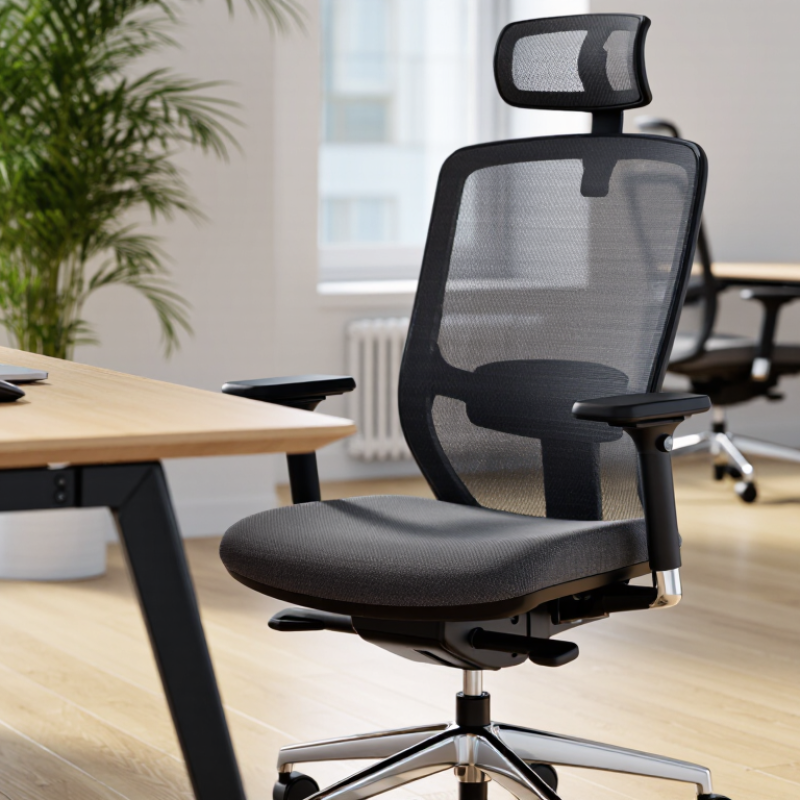
Define Your Office Ergonomic Needs and Daily Work Habits
Choosing an ergonomic chair starts with your work, not the chair’s appearance.
Track your routine for two days: hours seated, video meetings, typing, phone calls, and movement breaks. According to EU-OSHA’s ESENER 2019 survey, three in five European workers reported musculoskeletal complaints. That figure is broad, but it shows why personal habits matter. A chair cannot correct every problem.
Measure your desk height, screen position, and legroom before shopping. If you type for long periods, look for adjustable seat depth, lumbar support, and armrests that let your shoulders relax.
If you alternate between calls and writing, easy recline adjustment may matter more than thick padding. Your feet should rest firmly on the floor, with knees near hip level. Small details count.
Pay attention to discomfort patterns. A numb thigh may suggest excessive seat depth. Tight shoulders may point to high armrests or a distant keyboard. Do not ignore these signals.
The U.S. Occupational Safety and Health Administration identifies awkward postures, repetition, and prolonged static positions as common ergonomic risk factors. Still, I would not treat every guideline as universal. My preferred setting may feel restrictive to another worker.
Test the chair for at least several work sessions, and reassess your posture after a busy week. Perfect alignment is an appealing idea, but real office work is rarely perfect.
Assess Chair Adjustments for Proper Posture and Body Support
How to Choose the Best Ergonomic Chair for Your Office?
The best ergonomic chair supports your posture through careful adjustment, not attractive padding alone. During a workday, your body should feel supported without constant pressure. Start with seat height. Place both feet flat on the floor, with knees level with or slightly below your hips. Your thighs should feel supported, but your knees should not press against the seat edge.
Check the seat depth while sitting fully back. Leave roughly two fingers between the seat edge and your knees. Adjust the backrest until it follows your natural spinal curve. The lumbar support should contact your lower back gently, not push it forward aggressively. Small changes matter. My first setup felt supportive, but the lumbar support was too high after two hours.
Set the armrests so your shoulders remain relaxed and your elbows rest near your sides. Raised shoulders often signal poor adjustment. Use the tilt function to recline slightly while keeping your eyes level with the screen. A headrest is optional for most desk tasks. I once adjusted mine too early, and it encouraged me to lean backward.
Test the chair for at least thirty minutes. Notice pressure, numbness, or repeated shifting. Bodies differ, and one setting may not suit every task. Record what feels uncomfortable, then change one adjustment at a time. A qualified ergonomics professional can help when discomfort continues.
Compare Materials, Base Design, and Long-Term Durability
Choosing an ergonomic chair starts with materials, not appearance. In my experience, breathable mesh keeps the back cooler during long editing sessions. However, cheap mesh can sag and create pressure points. Dense molded foam feels supportive at first, yet it may trap heat after several hours. The World Health Organization reports that low back pain affected about 619 million people in 2020. A chair cannot solve every cause, but stable support matters.
Check the base design carefully. A five-point base spreads weight more evenly than a narrow pedestal. Casters should roll smoothly without forcing the torso to twist. Adjustable seat depth, lumbar tension, and arm height are more valuable than thick padding. The National Institute for Occupational Safety and Health recommends adjustable workstations because users vary widely in body size and working posture. That recommendation has practical weight.
Durability needs evidence, not confident sales language. ANSI/BIFMA chair standards use repeated loading and stability tests to evaluate seating performance. Ask whether the mechanism, cylinder, casters, and upholstery are covered separately. A strong frame can outlast worn fabric, but replacing every major component is rarely economical. I once selected a soft chair that felt excellent for ten minutes. After six months, the cushion compressed unevenly. That mistake still influences my inspections. Sit for at least thirty minutes, change posture, and listen for creaks. Small details often reveal long-term weakness.
Match Chair Features with Your Workspace and Available Budget
Choosing the best ergonomic chair starts with your workspace, not a product list. Measure your desk height, knee clearance, and available floor space. A chair may feel comfortable in a showroom but fail under your desk. I once chose a chair with wide armrests, only to find them hitting the desktop. That mistake taught me to measure first. Small details matter.
Match chair features with your daily tasks and budget. For long computer sessions, prioritize adjustable seat height, seat depth, lumbar support, and armrests. These adjustments help keep your shoulders relaxed and your feet supported. If your budget is tight, choose essential adjustments before decorative materials. A breathable backrest can help in a warm room. A compact base suits a narrow office. Test the chair for at least ten minutes. Short tests can hide pressure points.
Set a realistic spending limit, then consider maintenance costs. A durable frame, replaceable casters, and clear warranty terms may offer better value over time. Do not assume the most expensive chair fits everyone. Your desk and body proportions still matter. Keep your feet flat. Change positions regularly. Ergonomics is not a fixed posture. My own setup still needs occasional adjustment, especially after long writing sessions. The right chair reduces strain, but it cannot correct every workspace problem.
How to Choose the Best Ergonomic Chair for Your Office?
Match chair features with your workspace, working style, body dimensions, and available budget.
| Workspace or User Need | Recommended Chair Feature | Useful Specification or Target | Why It Matters | Suggested Budget Tier | Priority |
|---|---|---|---|---|---|
| Small desk or limited floor area | Compact base and armless or low-profile arms | Chair width that leaves enough clearance for desk movement; arms should fit beneath the desk when possible. | Preserves walking space and allows the chair to be stored close to the desk. | Entry to mid-range | High |
| Standard desk work | Adjustable seat height | Feet should rest flat on the floor while knees remain approximately level with or slightly lower than the hips. | Supports a stable lower-body position and helps keep the desk surface at a comfortable working height. | All tiers | High |
| Users with shorter or longer thighs | Adjustable seat depth | Leave roughly 2–4 fingers of space between the seat edge and the back of the knees when seated upright. | Reduces pressure behind the knees while supporting the thighs. | Mid to premium | High |
| Long daily sitting sessions | Contoured, supportive seat with breathable upholstery | Use a firm, level seat that supports the sit bones without excessive pressure; mesh can improve airflow. | Helps maintain comfort during extended computer work and may reduce heat buildup. | Mid to premium | High |
| Frequent typing and mouse use | Height- and width-adjustable armrests | Armrests should allow relaxed shoulders and elbows near the sides of the body; they should not force the elbows outward. | Can reduce shoulder elevation and support a more neutral upper-body posture. | Mid to premium | High |
| Shared or hot-desking office | Wide adjustment range and easy-to-use controls | Look for clearly labeled controls for seat height, seat depth, back angle, and recline tension. | Different users can set the chair quickly without complex instructions. | Mid-range | High |
| Alternating between typing, reading, and calls | Adjustable backrest recline with synchronized movement | A recline range of approximately 90–120 degrees can support upright work and relaxed reading positions. | Allows posture changes instead of holding one fixed position throughout the day. | Mid to premium | Medium |
| Lower-back comfort concerns | Adjustable lumbar support | Support should be adjustable vertically and, ideally, in firmness or depth; it should contact the natural curve of the lower back. | Helps the user maintain the natural lumbar curve without relying on a rigid, fixed pad. | Mid to premium | High |
| Use with a standing desk | Stable recline and seat-height range suited to the desk | Confirm that the chair reaches the correct height for the lowered sitting position; a foot ring may be useful for higher work surfaces. | Improves compatibility when alternating between sitting and standing. | Mid to premium | Medium |
| Carpeted or hard-floor workspace | Appropriate casters and a five-point base | Use soft casters for hard floors and harder casters for carpet, unless the manufacturer specifies otherwise. | Improves rolling performance and helps protect the floor surface. | Entry to premium | Medium |
| Small meeting room or occasional use | Simple, durable adjustment system | Prioritize seat height, back support, stable casters, and easy-clean upholstery over advanced mechanisms. | Provides practical comfort without paying for features that will rarely be used. | Entry to mid-range | Medium |
| Premium home office used every day | Multiple independent adjustments and replaceable components | Consider adjustable seat depth, lumbar support, armrests, recline tension, and a documented weight capacity. | More adjustment options improve fit, while replaceable parts can extend product life. | Premium | High |
| Budget under approximately $250 | Prioritize essential adjustments | Choose seat-height adjustment, a supportive backrest, stable five-point base, and suitable seat dimensions before adding extras. | A correctly fitting basic chair is generally more useful than an inexpensive chair with many poorly executed features. | Entry-level | High |
| Budget approximately $250–$700 | Balanced ergonomics and durability | Look for adjustable seat depth, lumbar support, adjustable armrests, recline control, and a transparent warranty. | This tier commonly offers a broader fit range and more durable mechanisms than basic task chairs. | Mid-range | High |
| Budget above approximately $700 | Highly adjustable design and long-term serviceability | Evaluate the fit in person if possible, plus warranty length, replacement parts, repair options, and tested weight capacity. | Higher cost is most valuable when it provides a better fit, stronger support, and longer useful life. | Premium | Medium |
| Users with mobility or health concerns | Easy-access controls, stable frame, and professional fitting advice | Check whether the chair is easy to enter and exit and consult a qualified healthcare professional for individual needs. | Personal comfort and safe use can vary significantly with body structure and health conditions. | Any tier | High |
Selection tip: Measure the desk, available floor space, and the intended user before purchasing. A chair should fit the person and the workspace together, not just look comfortable in isolation.
Test, Adjust, and Maintain the Chair for Continued Comfort
How to Choose the Best Ergonomic Chair for Your Office?
An ergonomic chair should fit your body, not force your body to adapt. Test it for at least ten minutes before making a decision. Sit fully back and check whether the lumbar support meets your lower back. Your feet should rest flat, with your knees near hip level. Adjust the seat height until your thighs feel supported without pressure behind your knees. Set the armrests so your shoulders remain relaxed while typing. Small changes matter.
Move through normal work tasks during the test. Type, read, turn, and reach for a nearby document. Notice any pressure points, wobbling, or restricted movement. My first adjustment was too high, and my shoulders became tense by lunchtime. That mistake showed me that comfort requires observation, not a single setup. A short trial can miss problems that appear after several hours. If possible, test the chair across different workdays.
Maintenance protects both comfort and safety. Wipe dust from the seat and backrest with a suitable cloth. Check screws, casters, and adjustment controls every few months. Tighten loose hardware carefully, but do not force damaged parts. Keep the chair away from direct heat and excessive moisture. If the height mechanism slips or the base cracks, stop using the chair. Ask a qualified technician for an inspection. Your posture may change with workload, injury, or desk height, so review the settings occasionally. The perfect setup can drift.
How to Choose the Best Ergonomic Chair for Your Office?
Test, adjust, and maintain the chair for continued comfort.
Use these practical starting ranges when testing an office chair. Your feet should rest flat on the floor, your knees should remain close to a 90-degree angle, your lower back should be supported, and your shoulders should stay relaxed. Recheck the adjustments regularly and inspect the seat, casters, armrests, and controls for wear.
Related Posts
-
The Ultimate Guide to Selecting the Best Home Office Chair for Productivity and Comfort
-
10 Essential Reasons Why Home Office Chairs Are Crucial For Your Productivity
-

Understanding the Health Benefits of an Ergonomic Desk Chair for Your Work Environment
-
China's Leading Factory Brings You the Best Home Office Chair for Global Export
-

How to Navigate Import Export Certifications for the Best Office Desk Chair Market
-

How to Choose the Perfect Office Chair for Your Work Environment