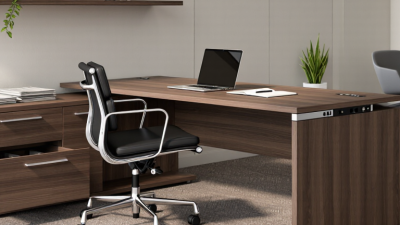
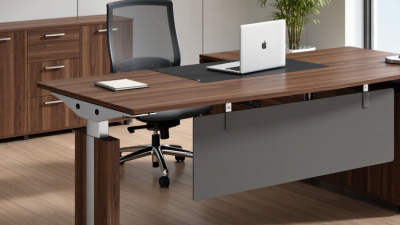
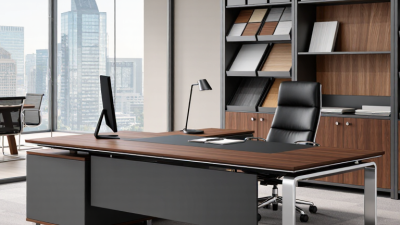
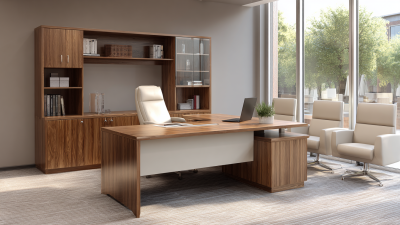
Why Choose a Modern Executive Desk for Your Office?

A modern executive desk is more than a polished surface behind a chair. It shapes how leaders work, meet, and move through the day. The right desk can hold a laptop, a notepad, and a charging cable without turning the workspace into a cluttered landing zone. Still, appearance alone is not enough. Comfort, usable storage, stable construction, and room to adjust posture matter too.

Workplace research offers useful context. Gensler’s 2024 Global Workplace Survey drew on responses from 16,000 workers across 15 countries, examining workplace experience and its relationship to performance. Its broad scope is a reminder: a desk is one part of a larger work environment, not a productivity shortcut. For product quality, buyers can also look for furniture tested against relevant industry standards, such as ANSI/BIFMA X5.5 for desk products. Details matter.

Ergonomics expert Alan Hedge is often associated with a practical reminder: “The best posture is your next posture.” A desk that supports movement and sensible monitor placement can help make that easier. But no desk fixes every awkward habit. That deserves reflection. A modern executive desk is worth choosing when its dimensions, materials, and features fit the person using it—not merely the room’s photographs. This guide explores what to consider, from layout and ergonomics to durability and design, before making a confident, evidence-informed choice.
Why Choose a Modern Executive Desk for Your Office?

What Defines a Modern Executive Desk?

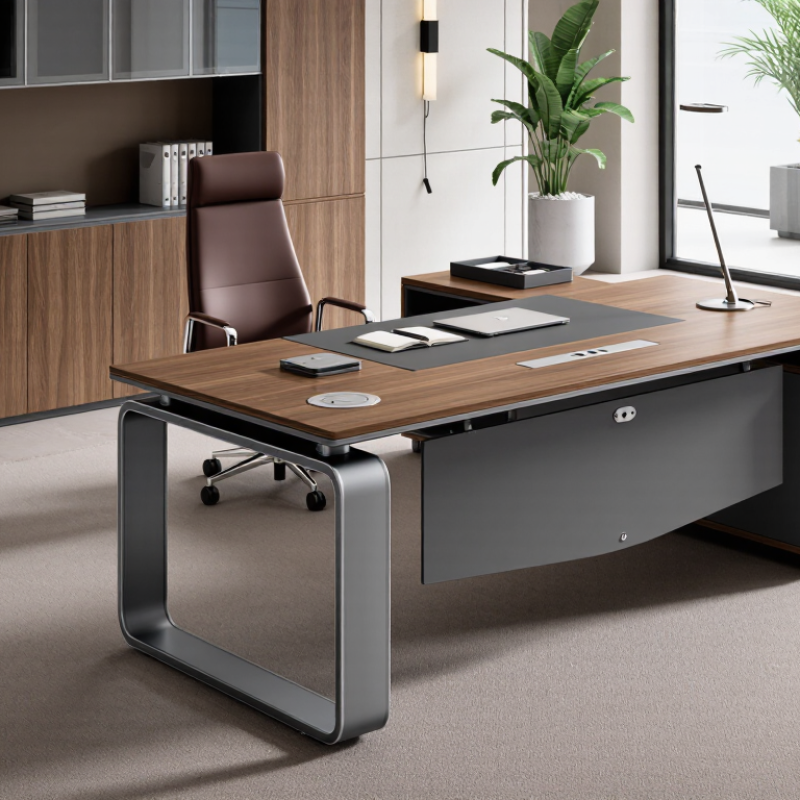
A modern executive desk is less about a grand, polished surface and more about how well it supports varied work. It typically combines a clear, durable worktop with discreet cable routing, accessible storage, and enough depth for a monitor, keyboard, and papers. Clean lines help, but function matters more. Not just style. A desk should also suit the person using it: seated height, legroom, and reach all affect everyday comfort. The ANSI/BIFMA X5.5-2021 standard sets performance and safety requirements for desk and table products, offering a useful reference when comparing construction and stability.

Work patterns make flexibility practical. The U.S. Bureau of Labor Statistics’ 2023 American Time Use Survey found that 35% of employed people did some or all of their work at home on days they worked. That figure does not prescribe a desk design, but it shows why adaptable workspaces matter. A height-adjustable surface may support shifts between sitting and standing; a built-in modesty panel may offer privacy during video calls. Check the details in person: does the desk wobble when typing, and can cables reach the outlet without crossing the floor? A beautiful desk can still be awkward. Measurements are easy to overlook.

Why Choose a Modern Executive Desk for Your Office? — What Defines a Modern Executive Desk?
Dimension What Defines It Typical Details Why It Matters
Overall proportions A substantial work surface with clean, balanced lines and practical storage. Common desk widths are about 60–72 in (152–183 cm); depths often range from 30–36 in (76–91 cm). Actual sizes vary by design. Provides room for a computer, documents, and everyday work while helping the desk fit the office layout.
Working height A desk height suited to seated work, or an adjustable-height design for changing work positions. Many fixed desks are approximately 28–30 in (71–76 cm) high. Adjustable models have a model-specific range. A suitable height helps users position their chair, arms, and monitor more comfortably. Fit depends on the individual and chair.
Work surface A durable, easy-to-maintain top with enough clear space for daily tasks. Common options include wood, wood veneer, laminate, and metal or glass accents; surface care requirements vary by material. The surface affects appearance, cleaning, resistance to everyday wear, and the amount of usable workspace.
Storage Integrated drawers, pedestals, or cabinets that keep frequently used items accessible. Storage layouts differ: some desks prioritize open legroom, while others include fixed or mobile drawer units. The right arrangement can reduce desktop clutter; check drawer clearance and whether storage limits legroom.
Technology management Features that help organize power and data cables without crowding the work surface. Depending on the model, this may include cable grommets, trays, or access openings. Power outlets are not standard on every desk. Helps keep cables orderly and makes it easier to place computers, monitors, and other office equipment.
Design language A contemporary look, often defined by simple forms, restrained detailing, and coordinated finishes. Styles range from minimalist tops with slim legs to more substantial desks with built-in storage. A considered design can complement the room without making appearance a substitute for fit or function.
Selection checklist Choose dimensions and features based on the user, tasks, equipment, and available space. Measure the room, doorway, chair clearance, and equipment; confirm assembly needs, load limits, and product specifications. Careful measuring helps avoid fit problems and ensures the desk suits the way the office is used.

How Design and Materials Shape Its Appearance

A modern executive desk earns its place through more than a grand silhouette. Its proportions, surface, and finish shape the room’s first impression. A thin metal frame feels lighter than a broad wood pedestal, while a warm oak-toned top can soften glass and concrete nearby. The U.S. Environmental Protection Agency’s indoor-air guidance says concentrations of some pollutants are often two to five times higher indoors than outdoors. That makes material choices practical, not merely decorative. Low-emitting finishes and well-sealed edges can help limit odors and make daily cleaning easier. Looks matter.

The World Green Building Council’s 2014 report, Health, Wellbeing & Productivity in Offices, cites research associating better indoor air quality with productivity gains of 8–11%. That figure is not a desk-specific result, so it should not be treated as one. Still, it supports considering finishes alongside appearance. A matte surface hides fingerprints better than glossy lacquer, though it may show scratches differently. I would not claim that darker wood always looks more authoritative; lighting and surrounding furniture change the effect. A small sample viewed beside the office window can reveal more than a polished product image. The choice is rarely perfect.

Which Features Support Daily Work and Organization?

Why Choose a Modern Executive Desk for Your Office?

Which Features Support Daily Work and Organization?

A modern executive desk should do more than look polished. Its layout can reduce small interruptions throughout the day. A broad, uncluttered surface leaves room for a laptop, documents, and a notebook without stacking everything together. Built-in cable openings keep charging leads from crossing the work area. Small details matter.

Storage works best when it matches the tasks you actually do. A shallow drawer can hold pens and clips, while a deeper cabinet may fit folders or equipment. Keep frequently used items within easy reach. Still, extra drawers do not guarantee better organization; they can become cluttered if everything is simply pushed out of sight.

Daily comfort also depends on the desk’s height, legroom, and surface depth. Check that your chair fits beneath it and that your screen can sit at a comfortable viewing distance. A durable finish helps resist marks from cups and regular handling, though no surface stays pristine forever. It is easy to focus on appearance and overlook how the desk feels after several hours. Keep the route clear. A practical setup should support changing tasks, not force every workday into the same arrangement.

How Ergonomics and Technology Affect Desk Use

A modern executive desk shapes how people sit, reach, and use everyday technology. Its height should let shoulders relax while forearms rest near level with the desktop. A monitor arm can bring the screen closer, reducing the need to lean forward. Integrated power access also keeps chargers within reach, though too many devices can quickly crowd the surface. Small adjustments matter. In a 2018 BMJ study of 146 office workers, the SMArT Work intervention reduced daily sitting by about 83 minutes after 12 months compared with usual practice. The finding supports changing work habits, not simply buying a new desk.

Technology works best when it encourages movement rather than locking users into one posture. A height-adjustable desk makes it easier to alternate between sitting and standing, but standing all day is not the goal. The World Health Organization’s 2020 physical activity guidelines recommend 150–300 minutes of moderate-intensity activity each week for adults; a desk cannot replace that movement. Check whether controls are easy to reach, cables stay clear of moving parts, and the desktop fits the actual monitor, keyboard, and paperwork. One honest drawback: adjustment features can become clutter if nobody uses them. Set a reminder to change position, then notice what feels strained after a full workday.

What to Consider When Choosing One for an Office?

Choosing a modern executive desk starts with the work it needs to support, not its appearance. Measure the room, including doorways and walking paths, before comparing desk dimensions. Leave enough space to pull out a chair and open nearby drawers. A broad desktop looks impressive, but it can make a small office feel cramped.

Consider how you work each day. If you use two monitors, check that the desk is deep enough to keep screens at a comfortable viewing distance. Look for practical cable access, a stable frame, and storage that keeps frequently used items within reach. Sit at a similar-height surface before buying, if possible. Small ergonomic details matter. A desk that forces raised shoulders or bent wrists can become tiring over long work sessions.

Materials affect both upkeep and the room’s feel. A durable finish should handle routine cleaning, while solid construction helps prevent wobbling during typing. Check the weight capacity if you use heavy equipment, and inspect drawers for smooth movement. I once underestimated cable space; the desktop looked tidy, but the floor did not. That detail is easy to miss. Set a realistic budget, too, and compare useful features rather than assuming a higher price guarantees a better fit.

Request More Information